Today I’m sharing something that completely changed how I approach Pinterest Keyword Research.
We’re not just finding Top Pinterest keywords.
We’re finding Pinterest keywords that actually make money.
And we’re going to use Amazon as our research tool. That’s right, Pinterest keywords research using Amazon.
Not Pinterest.
Not Google.
Amazon.
Because Amazon shows buyer intent.
Pinterest shows interest.
When you combine both – that’s when conversions start happening.
The Mindset Shift Most Creators Miss
Pinterest is visual.
Amazon is transactional.
If something is trending on Amazon, it means people are spending money on it right now. Credit cards out. Purchases happening.
So instead of guessing what might sell…
I go to Amazon and look at what already is selling.
That single shift removes 80% of the guesswork.
Step 1: Find a Seed Keyword on Amazon
We need a seed keyword.
For this example, let’s use the niche: Nails.
I’ll type:
“Green nails”
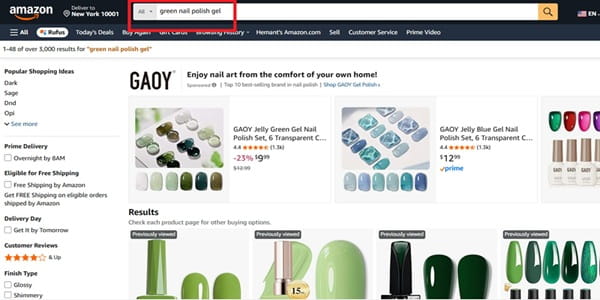
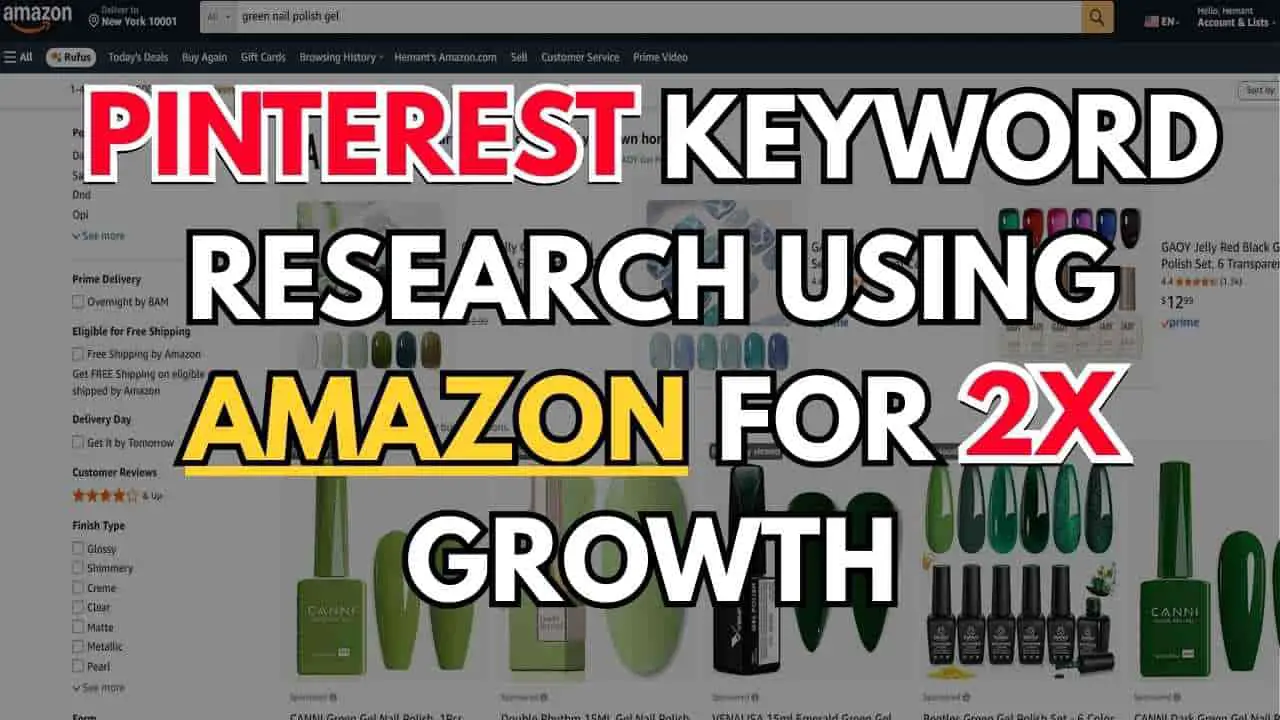
Now look at Amazon’s autocomplete suggestions.
You’ll see things like:
- green nail polish
- green nails
- green nail polish gel
- green nails press ons
- green nail stickers
These suggestions are not random.
They exist because shoppers are typing them in daily.
That means demand is real.
Step 2: Mine the Top Products for Hidden Keyword Data
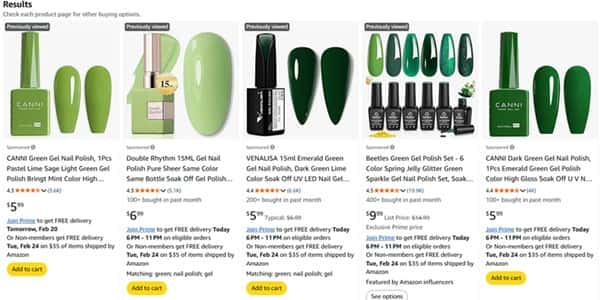
Now here’s what I do next.
I click on “green nail polish gel”
Then I open the top 2 or 3 products.
And I analyze:
- Product titles
- Bullet points
- Frequently repeated phrases
- Reviews
If multiple sellers are using phrases like:
- Green Gel Polish
- Gel Nail Polish
- Gel Polish Set
- St. Patrick’s Day
Which they are already using. That’s not coincidence.
That’s keyword data.
Amazon sellers spend money on optimization tools. They test titles. They refine listings.
You’re basically piggybacking on professional keyword research – for free.
And here’s the real insight:
If sellers are adding “St. Patrick’s Day” to green gel polish listings, it means seasonal demand is strong.
That’s a content opportunity.
Step 3: Validate Pinterest Demand
Now we move to Pinterest.
Search:
“Green gel”
Now check:
- Auto suggestions
- Related searches
- The number of pins ranking
If you see:
- green gel polish
- green gel nail design
- green gel nail art
That means Pinterest demand exists.
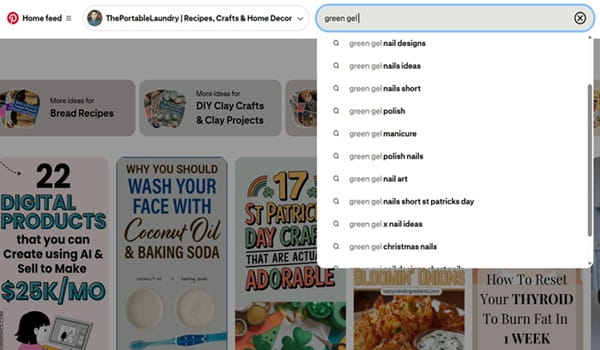
Now we’ve confirmed two things:
✔ Buying intent on Amazon
✔ Visual demand on Pinterest
This is the sweet spot.
Not hype. Not guesswork. Data.
Step 4: Go Deeper Using Pintrendo
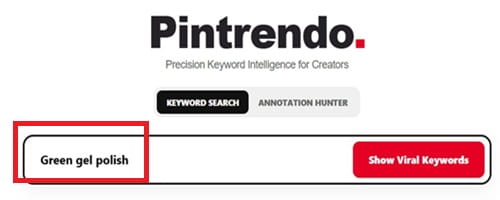
Now take your seed keyword:
“Green gel polish”
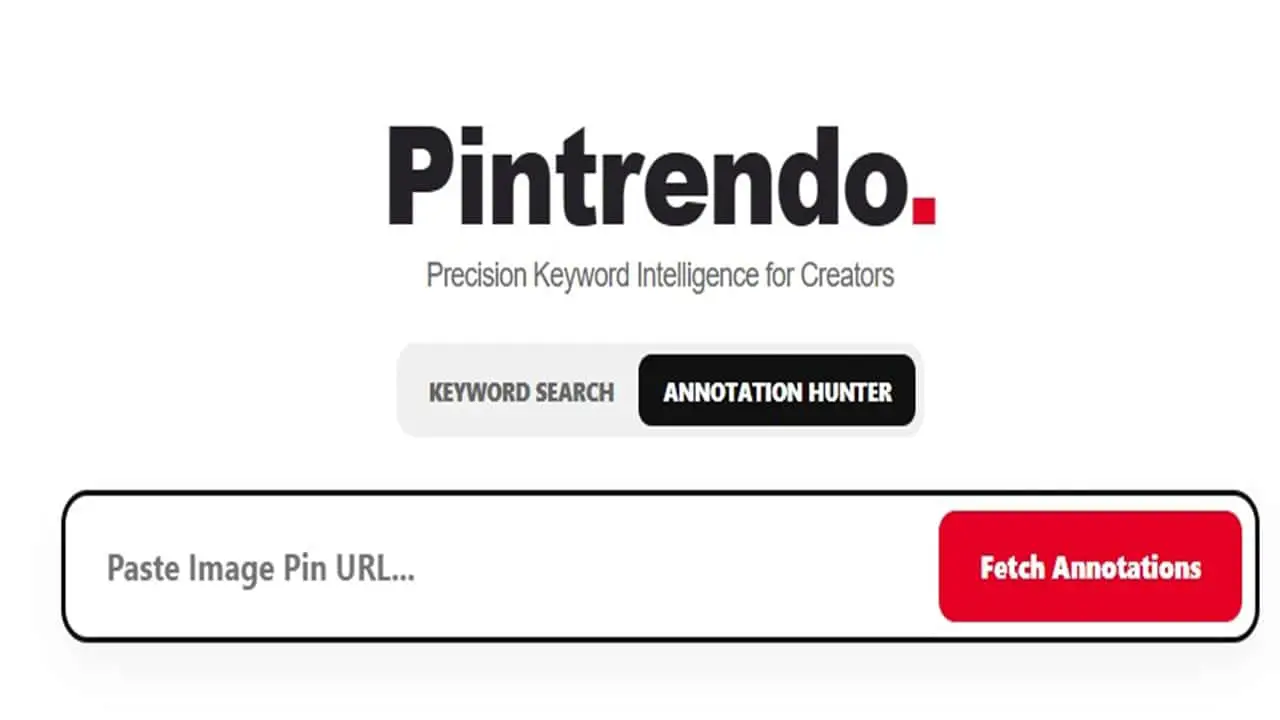
Head over to Pintrendo – Free Pinterest Keyword Tool.
Type the phrase in and look for:
- Related long-tail phrases
- Low competition angles
- Underserved topics
In this example, you see:
- green gel polish aesthetic
- avocado green gel polish
- army green gel polish
- green gel polish St. Patrick’s Day
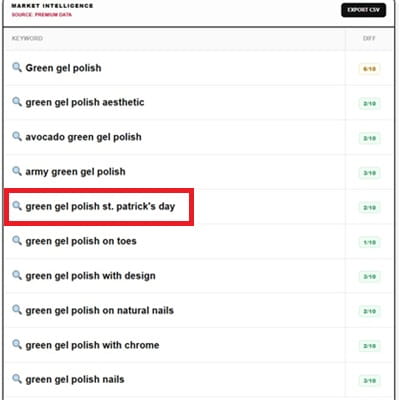
The one that I highlighted above, the St. Patrick’s Day one?
Huge.
Most free keyword tools won’t show seasonal angles clearly.
But “Green gel polish St. Patrick’s Day” is powerful because:
- It’s seasonal.
- It’s event-driven.
- It has built-in urgency.
And seasonal keywords convert extremely well.
This is pure gold.
Instead of writing:
“Green Nail Ideas”
You write:
“Green Gel Polish for St. Patrick’s Day That Looks Expensive”
That’s specific.
That’s clickable.
That’s rankable.
And more importantly – that’s monetizable.
Step 5: Turn It Into a Strategic Blog Post
Now create a blog post targeting that exact long-tail keyword.
Here’s the structure I personally recommend:
1. Intro (Problem + Trend Angle)
Talk about seasonal nails. Mention St. Patrick’s Day styling. Connect emotion + occasion.
2. 20 OR 30 Image Ideas
Different variations:
- Minimal green gel
- Glitter accents
- Gold foil
- Shamrock details
- French tip twist
Pinterest loves volume inside posts.
3. Style Variations
Short nails
Almond shape
Square tips
Acrylic vs gel
4. Seasonal Angles
Party looks
Office-friendly styles
Bold vs subtle
5. FAQs
Is green gel polish trending?
How long does gel polish last?
What shade of green is best for St. Patrick’s Day?
Keyword Placement Rule (Very Important)
Your:
- Blog title must contain the exact keyword
- URL must contain the keyword
- Pinterest pin text must contain the keyword
Consistency matters.
Pinterest SEO is pattern recognition.
Step 6: How I Create 30 to 50 Pins Fast in Canva
This is the part everyone keeps asking me about.
“How do you create bulk pins quickly?”
Here’s exactly what I do inside Canva.
Step A: Create a Master Template
I open Canva.
I choose Pinterest pin dimensions.
Then I design a base template:
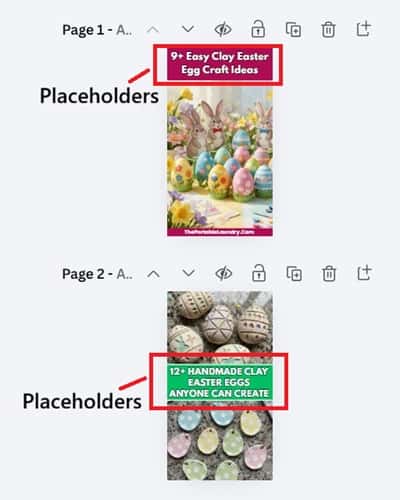
- Big bold headline area
- Frame around the image
- 2 to 3 brand colors
- Clean background
- Small website URL at the bottom
Important:
I do NOT design 50 pins separately.
I design 5 strong templates.
Different layouts like:
- Text on top, image bottom
- Split layout (text center, images top and bottom)
- Full image with text overlay
- Minimal white layout
- Bold background layout
The goal is structure first.
Step B: Duplicate and Plug In
Now comes the fast part.
Duplicate the template.
Then change:
- Headline variation
- Image
- Background color (optional)
That’s it.
Because the structure is already done.
You’re just plugging in content.
That’s how you create 30 to 50 pins fast.
The secret isn’t speed.
It’s pre-building the system.
Step 7: Connect the Entire System
Let’s recap the full framework:
- Find buyer keywords on Amazon
- Validate demand on Pinterest
- Find underserved angles in Pintrendo
- Write a focused long-tail blog post
- Create multiple pin variations in Canva
- Link pins back to your optimized blog post
And inside that blog post, you can monetize using:
- Affiliate links
- Display ads
- Digital products
- Nail kits
- Seasonal styling guides
Because now you’re targeting buyers.
Not just browsers.
The Real Strategy Behind This Amazon Keyword Research
Amazon tells you what people are ready to purchase.
Pinterest tells you what people are dreaming about.
Your job is to stand between those two platforms.
That’s where money is made.
When traffic comes in searching for seasonal green gel polish…
And your post matches that exact angle…
Conversions feel natural.
Bonus Resource
I’ve already created a full list of top searched Pinterest keywords.
If you want a shortcut instead of starting from scratch, it has the list of high demand keywords based on niche.
It will help you:
- Identify high-demand niches
- Pick strong seed keywords
- Discover underserved subtopics
Then you apply the exact Amazon + Pinterest method we just discussed.
And that’s how you stop chasing random traffic…
And start building traffic that actually buys.
Final Thoughts
If your Pinterest traffic isn’t converting, it’s usually not a traffic problem.
It’s a keyword problem.
For the longest time, I chased trends. Pretty ideas. Viral aesthetics. The traffic came. The clicks came. The earnings? Not so much.
Everything changed when I stopped asking, “What’s popular?”
And started asking, “What are people already buying?”
That’s why starting with Amazon is powerful. It filters out fantasy demand. It shows real wallets in action.